Friends and presence
QueryCrossplayFriends
QueryCrossplayFriends returns the player's friends. Each Crossplay Friend has:
| Field | Description |
|---|---|
| User Id | The friend's Crossplay User Id. Product User Id is filled in when the friend has logged in to the game with crossplay at least once. |
| Display Name | The friend's name. |
| Presence | Offline, Online, Away or In Game. |
| Presence Text | The text the friend set with SetCrossplayPresence. |
| Relationship | Friend, Request Received or Request Sent. See Friend requests. |
| In This Game | True when the friend is playing this game. |
Friends with a Product User Id can be passed straight to SendCrossplayInvite. Friends without one have never played the game with crossplay; invite them with Show Invite Overlay. See Invites.
If looking up the Product User Ids fails, the friends list is still returned, without them.
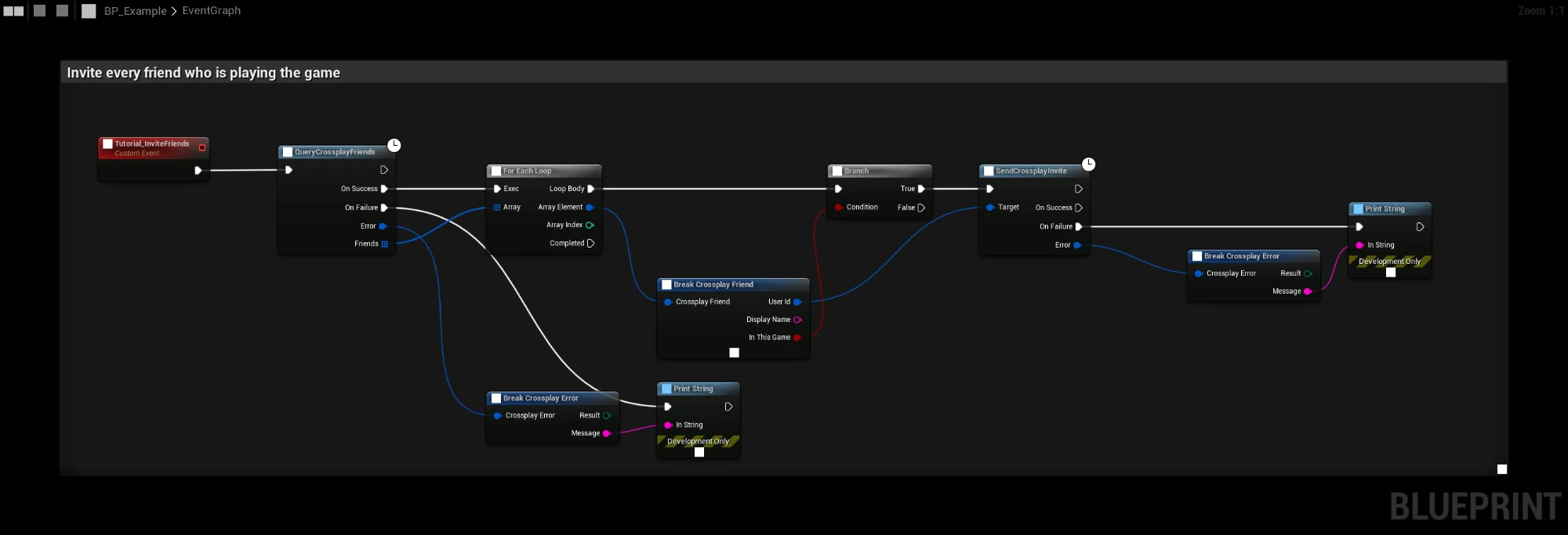
This graph invites every friend who is playing the game:
Steam or Epic friends
| Player logged in with | Friends |
|---|---|
| Steam | The Steam friends list. In This Game is set for friends playing the same Steam app. |
| Epic account (launcher, account portal or Dev Auth) | The Epic friends list, with name and presence from EOS. In This Game is set for friends playing the same EOS product. Used even when Steam is running. |
| Device ID | No friends list. The node fails with Not Supported. |
SetCrossplayPresence
SetCrossplayPresence sets the player's status text, for example In the lobby or Playing Deathmatch.
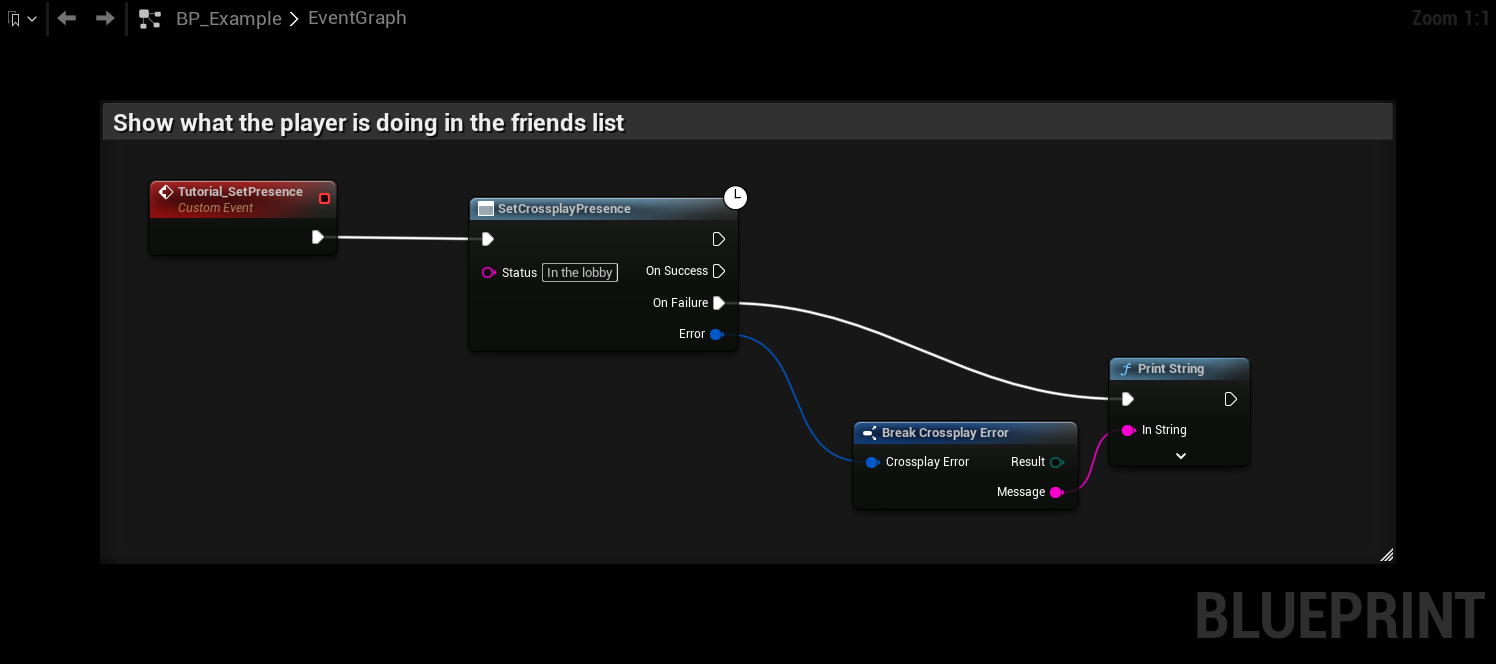
- Steam: the
statusrich presence key. Steam only shares it between friends playing the same game, so the Presence Text of a Steam friend in another game is empty. A change fires On Friend Updated. - Epic account: EOS presence with status Online and the text as rich text (at most 255 bytes).
Friend requests
QueryCrossplayFriendRequests returns the friend requests the player has received and sent, as Crossplay Friend with Relationship set to Request Received or Request Sent.
On Friend Request Received fires on the subsystem when a new request arrives, from Steam or from EOS for players logged in with an Epic account.
EOS only lists requests for products that have that permission in the Developer Portal.
Social actions
CrossplaySocialAction does something with another player, on the platform the local player is logged in with:
| Action | Steam | Epic account |
|---|---|---|
| Show Profile | Opens the profile in the Steam overlay. | Not Supported |
| Add Friend | Opens the Steam overlay to send the request. | Sends a friend request. |
| Remove Friend | Opens the Steam overlay to remove the friend. | Not Supported |
| Accept Friend Request | Opens the Steam overlay to accept. | Accepts the request. |
| Reject Friend Request | Opens the Steam overlay to reject. | Rejects the request. |
| Block | Opens the profile, since Steam has no block dialog. | Opens the Epic block dialog. |
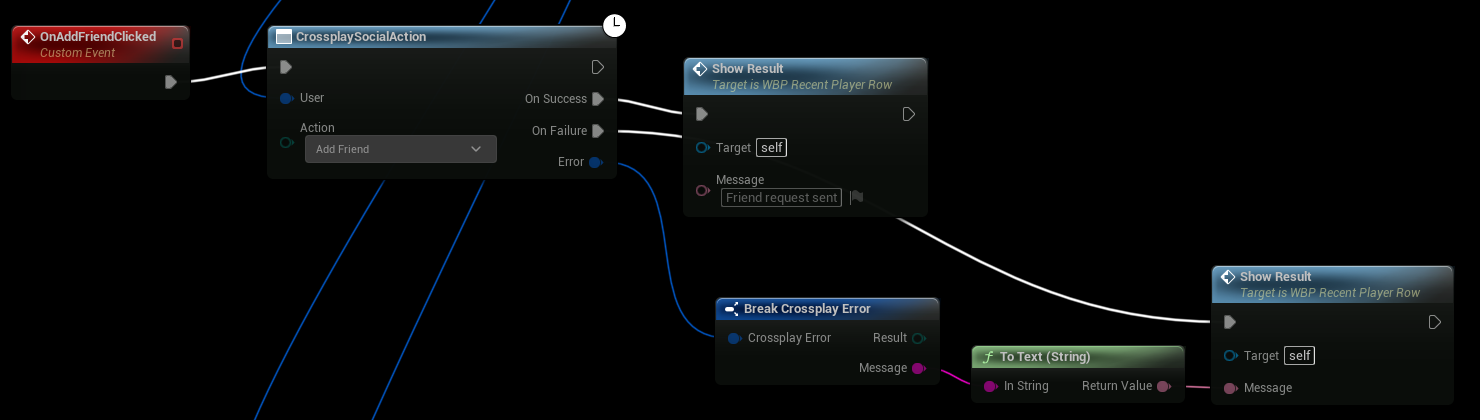
Sending a friend request to a recent player:
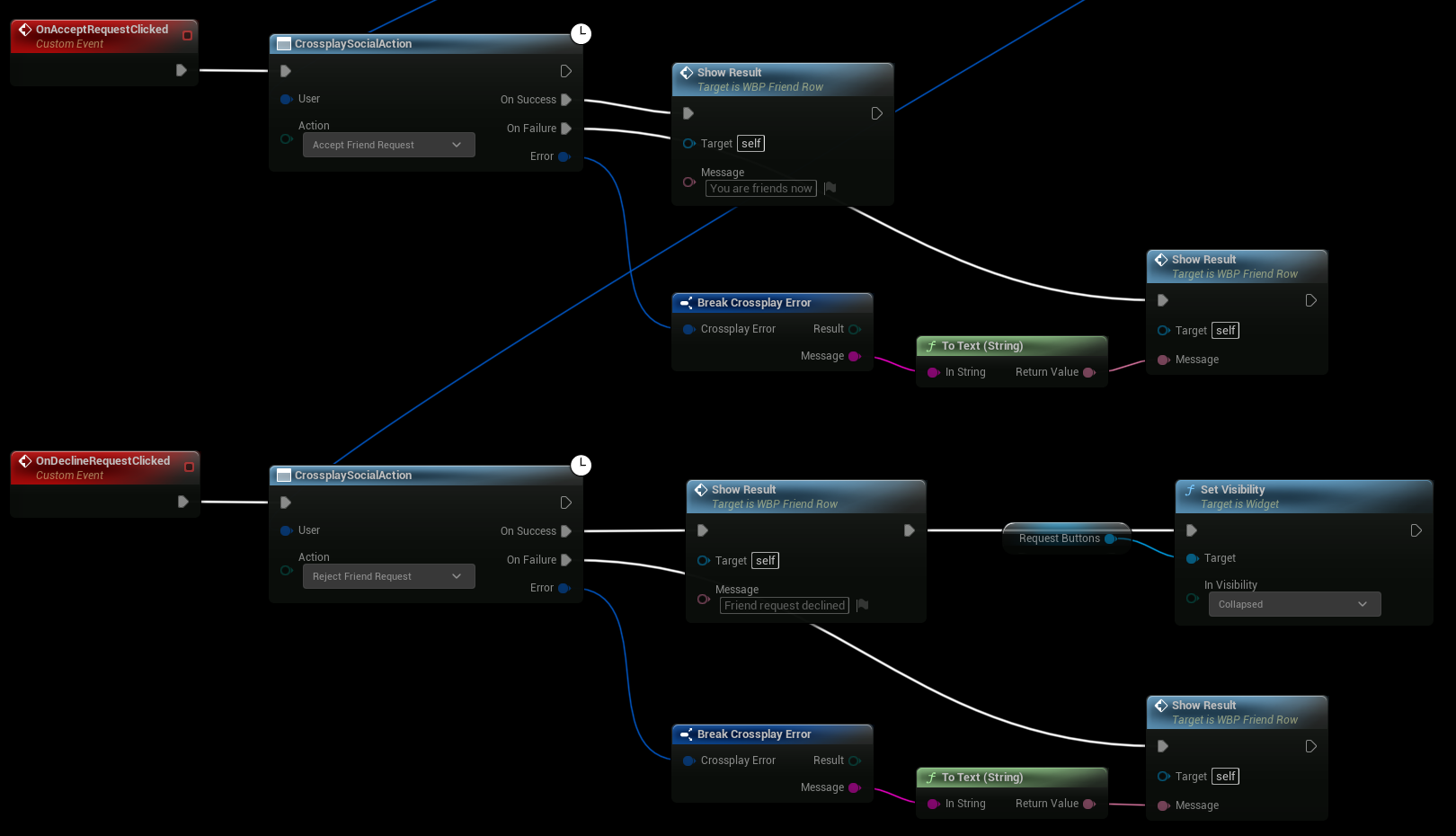
Accepting and rejecting a friend request in the friends list:
Blocking
- Is User Blocked returns whether the player has blocked a user.
- Get Blocked Users lists the blocked users. On Steam this includes ignored users.
Only users on the same platform as the local player can be checked. Chat messages from blocked players are not passed on.
Avatars
GetCrossplayAvatar returns a user's avatar as a Texture 2D (64 × 64 pixels), for example for an Image in a friend or member row. Steam only, and only when the local player is on Steam. The EOS SDK has no avatars.

Recent players
Get Recent Players lists the players the local player has shared a lobby with since the game started, at most 100. Each Crossplay Recent Player has a User Id, Display Name and Last Seen. The list is not saved between runs.
On Steam, the plugin also reports them to Steam, so they show up under Recent Players in the Steam friends list.
The example's recent player row shows when the player was last seen, and whether they are blocked:

ResolveCrossplayUsers
ResolveCrossplayUsers looks up the Product User Id for your own lists of players, for example recent players or a clan list. Pass users made with Make Platform User Id (a Steam or Epic account id), and it returns them with Product User Id filled in for those who have logged in to the game with crossplay. Requires crossplay to be active.
Events
Bind these on the Crossplay Subsystem:
| Event | When |
|---|---|
| On Friend Updated | A friend's name, presence or relationship changed. |
| On Friend Removed | A friend was removed. Gives the User Id of the removed friend. |
| On Friend Request Received | A new friend request arrived, from Steam or from EOS for players logged in with an Epic account. |