Blueprint Tutorials
Tutorial 5: Ready up and start the match
Members tell the others that they are ready with a member attribute. When everyone is ready, the lobby owner starts the match: the owner opens the map as a listen server, and the other members travel to it by themselves.
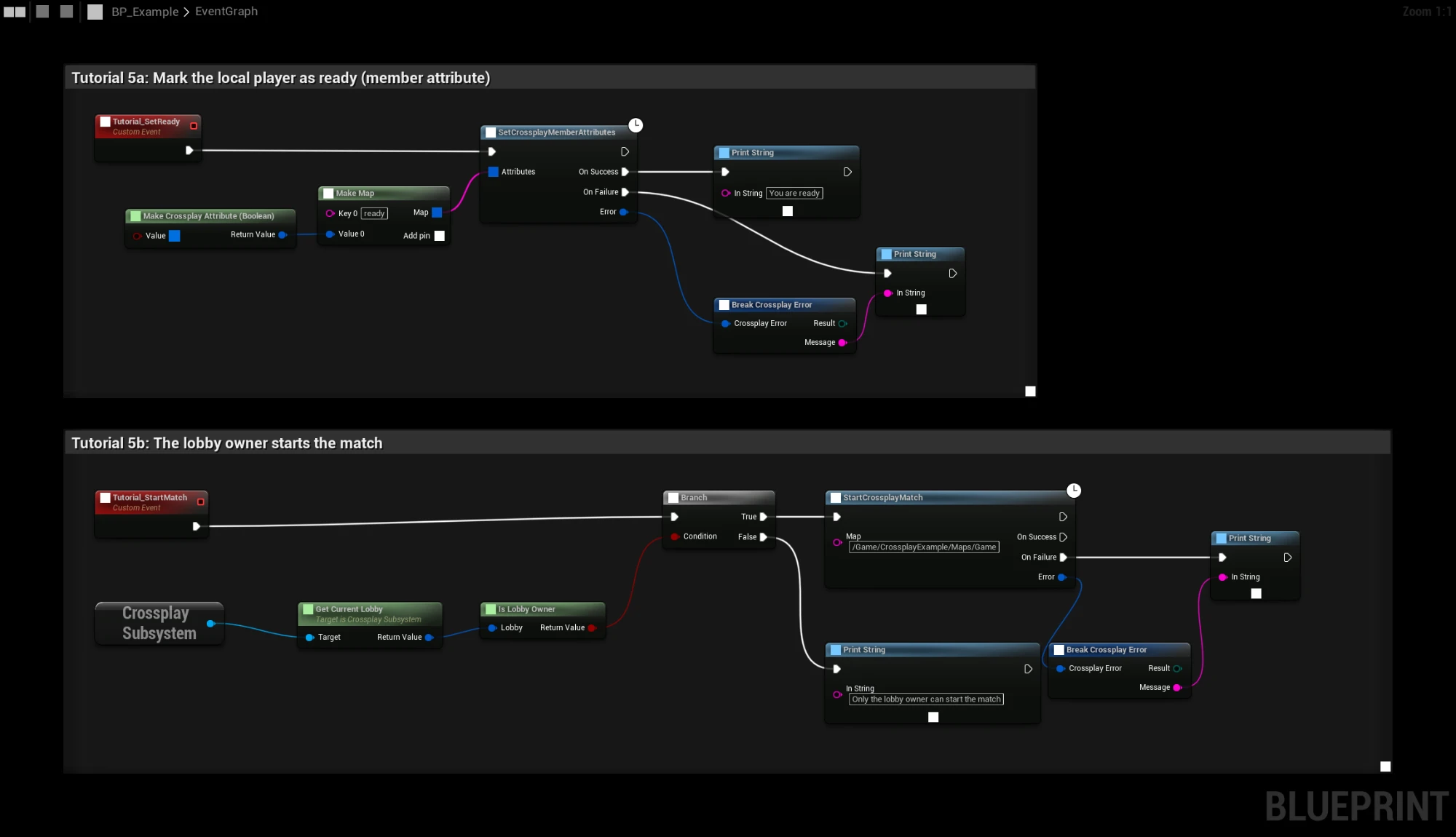
Mark the player as ready
- Make Crossplay Attribute (Boolean) with
true, in a Make Map under the keyready. - SetCrossplayMemberAttributes stores it on the local player's lobby member. Every member sees it in On Lobby Updated (Tutorial 4).
Read it back with Get Member Attribute (key ready) and To Boolean (Crossplay Attribute), for example to show
a check mark next to each member.
Start the match
- Get Current Lobby on the Crossplay Subsystem gives the lobby the player is in.
- Is Lobby Owner checks that the local player owns it. Only the owner can start the match. Other players get the message "Only the lobby owner can start the match".
- StartCrossplayMatch opens
/Game/CrossplayExample/Maps/Gameas a listen server. An empty Map means the current map. The other members get On Match Starting and travel to the owner.
caution
The result of StartCrossplayMatch arrives after the map change. A Blueprint that is destroyed by the map change, such as the menu's player controller or a level Blueprint, never gets On Success. Handle the result in your GameInstance if you need it.
Things to try
- Only enable the start button when every member in Get Current Lobby → Members has
readyset totrue. - Turn off Auto Join Match in the plugin settings and call Join Match from On Match Starting after a countdown (Matches).
- Clear
readyagain when the players return to the lobby after the match.
See Matches for the requirements and how the P2P connection works.