Tutorial 4: React to lobby events
Lobbies change while the player is in them: members join and leave, and attributes change. The Crossplay Subsystem has events for this. Bind them once and update your lobby UI from them.
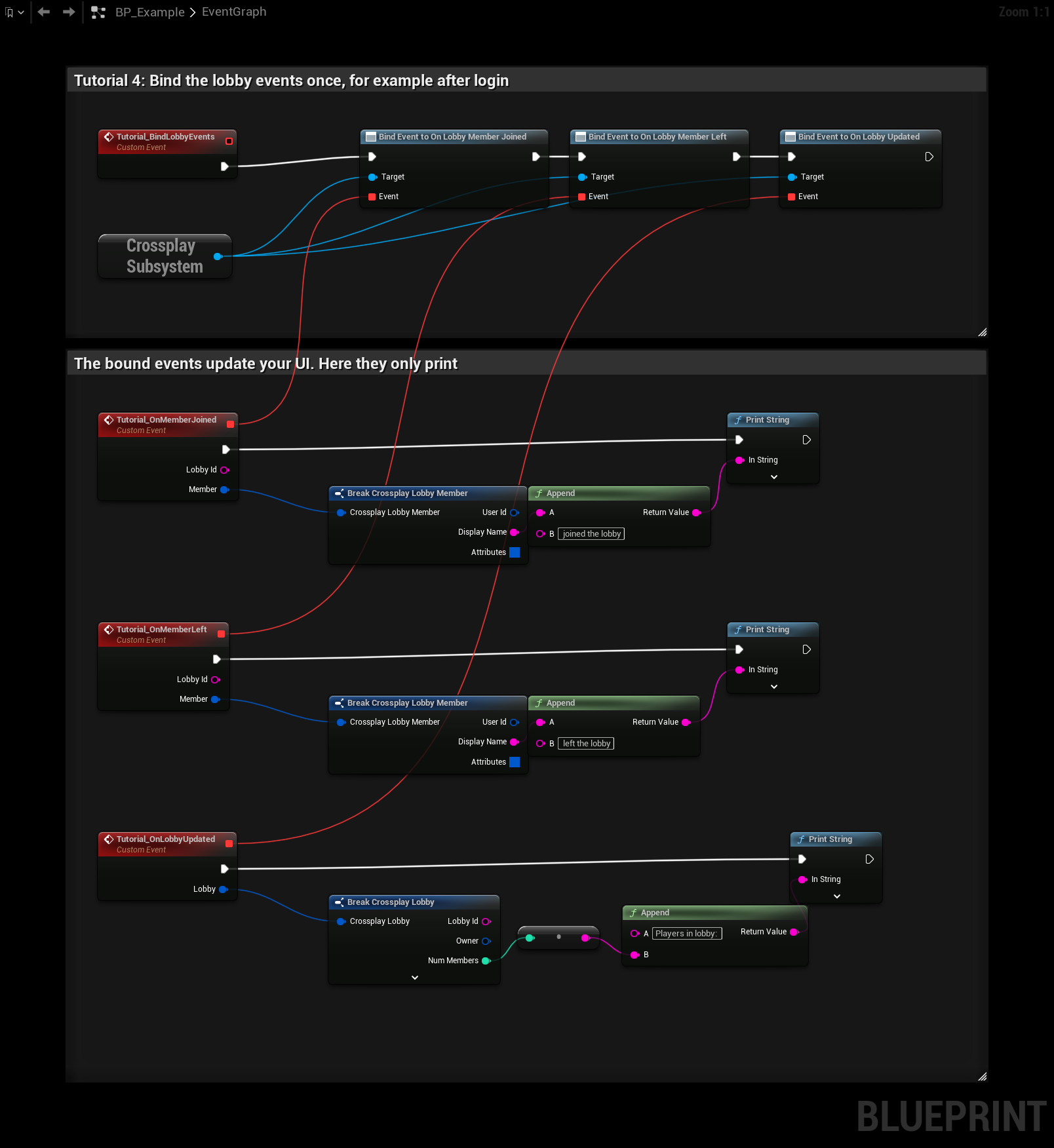
The graph
-
Tutorial_BindLobbyEvents gets the Crossplay Subsystem (a GameInstance subsystem, so it lives as long as the game) and binds three of its events:
Event Bound to When On Lobby Member Joined Tutorial_OnMemberJoined A member joined. Gives the Lobby Id and the Member. On Lobby Member Left Tutorial_OnMemberLeft A member left or was kicked. On Lobby Updated Tutorial_OnLobbyUpdated Anything in the lobby changed. Gives the whole Lobby. -
The joined and left events break the Crossplay Lobby Member and print its Display Name.
-
The updated event prints the lobby's Num Members.
Call Tutorial_BindLobbyEvents once, for example after the login in Tutorial 1 succeeded. Binding twice gives every event twice.
Bind the events from an object that lives as long as you need them, such as your GameInstance or a menu widget that stays open. When the bound object is destroyed, for example by a map change, the binding is gone. Unbind with Unbind Event from On Lobby ... when a widget closes.
Things to try
- Bind On Lobby Left to go back to the main menu when the player was kicked or the lobby closed.
- Use On Lobby Updated as the single place that rebuilds the member list: it fires for joins, leaves, owner changes and attribute changes.
- Bind On Match Starting to show a countdown before the match (Matches).
All events are listed under Lobbies.