Lobby and member attributes
Lobbies and members carry typed attributes (Crossplay Attribute):
| Type | Stored as |
|---|---|
| String | Text |
| Int | 64-bit integer |
| Float | Double |
| Bool | Boolean |
Setting attributes
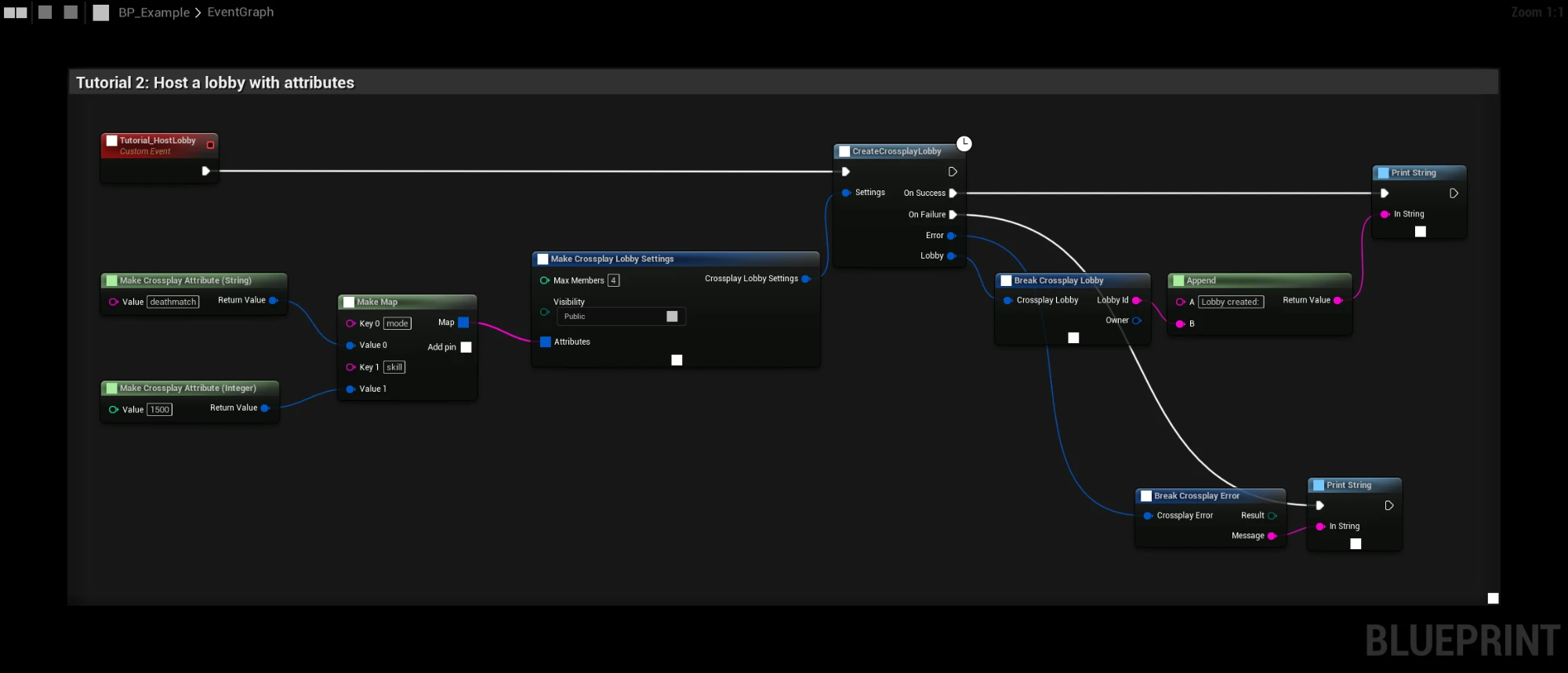
- In CreateCrossplayLobby, put them in the settings' Attributes map.
- SetCrossplayLobbyAttributes changes lobby attributes.
- SetCrossplayMemberAttributes changes the local player's member attributes, for example
readyorteam.
Plug a value into a Crossplay Attribute pin and it converts automatically, or use Make Crossplay Attribute (String / Integer / Integer64 / Float / Boolean). Integer and Integer64 are both stored as 64-bit integers.
Reading attributes
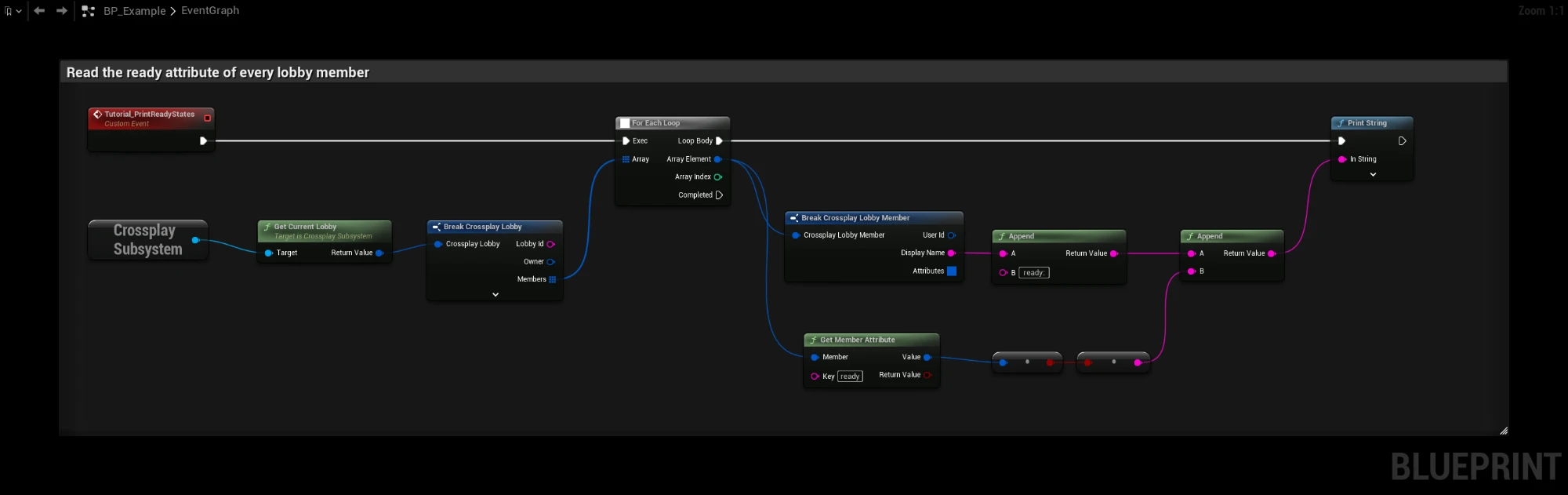
Get Lobby Attribute and Get Member Attribute return the attribute and whether it was found. Convert it with To String, To Integer, To Integer64, To Float or To Boolean (Crossplay Attribute). Equal (Crossplay Attribute) compares two attributes.
This graph prints the ready attribute of every member:
Other players see the change in On Lobby Updated.
Search filters
A Crossplay Search Filter has a Key, a Value and a Comparison: Equal, Not Equal, Greater, Greater Or Equal, Less or Less Or Equal.
Filters compare with the attribute's type, so Greater and Less work on numbers. A filter only matches an
attribute of the same type: a lobby that stores skill as an Integer is not found by a String filter on skill.
FindCrossplayLobbies
  Bucket:  ranked
  Filters: mode  Equal          "deathmatch"   (String)
           skill GreaterOrEqual 1000           (Int)
           open  Equal          true           (Bool)
Reserved keys
Keys starting with cpc_ are reserved for the plugin, which uses them for each member's name, platform and ids and
for the match address. They are hidden from the attributes the plugin returns.
Host migration uses keys starting with hm_.
Steam lobbies
Steam stores only strings, so the plugin stores the types next to the values, and the types come back as they were set. See Steam lobbies for how searches differ.